The idea
Most coding agents are a model in a chat box. anneal is a harness around the model that you can inspect and improve: prompts, tools, guardrails, skills and review rules. When a session ends, anneal can look at what happened, propose a change to its own harness, test the change on the session it came from, and keep it only if the evidence is there.
The name is the loop. You heat the work up with a task, then anneal it slowly: review, memory, a better harness. Nothing is adopted just because a model said it was a good idea.
Work
A real working set, not a chat toy.
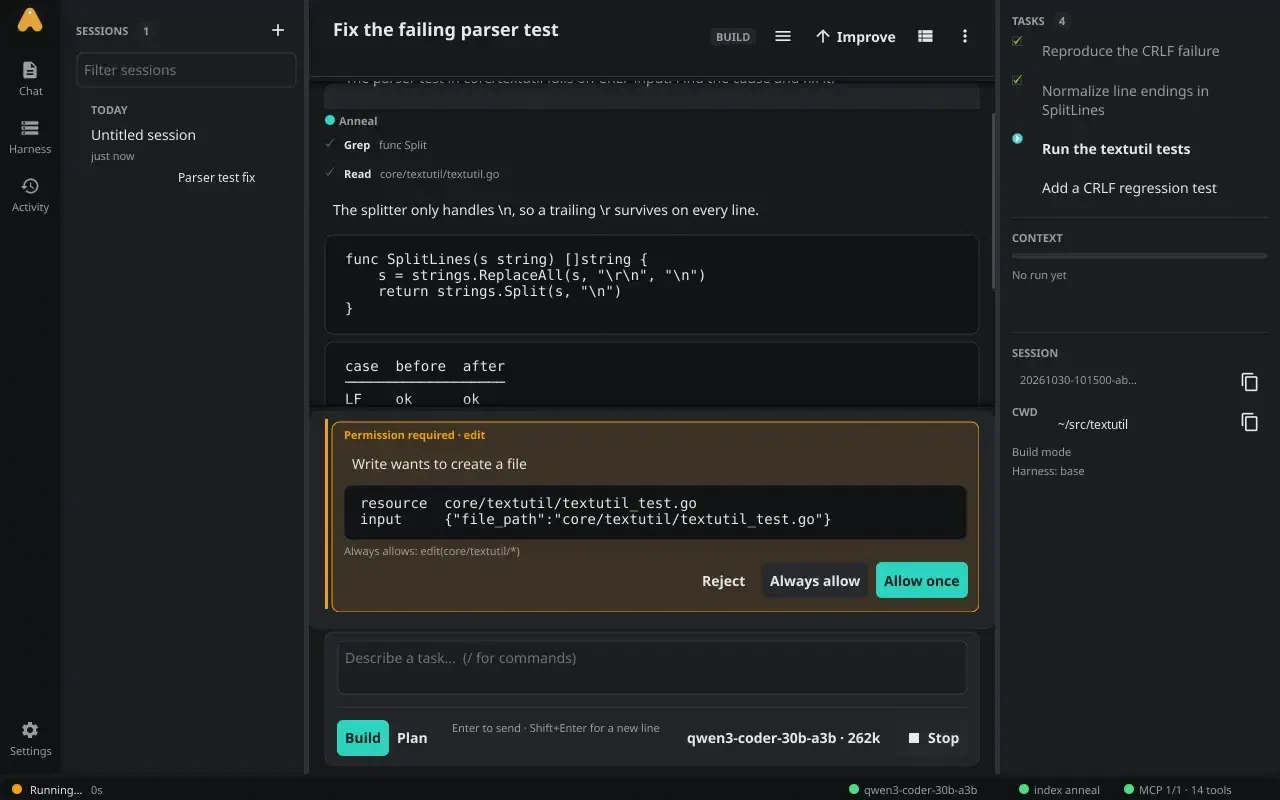
Read, write, edit, bash, glob, grep, fetch and todos. Streaming responses with live tool calls, a transcript that keeps the tool trail, and a composer that stays usable while a task runs.
- Approvals in the transcript: allow once, always, this session, or reject. Saved project grants, OpenCode-style rules, a read-only bash allowlist.
- Plan mode is read-only. Build mode asks. Switch with one control.
- A queue lets you type the next thing while the current turn runs, with visible delivery state.
 anneal
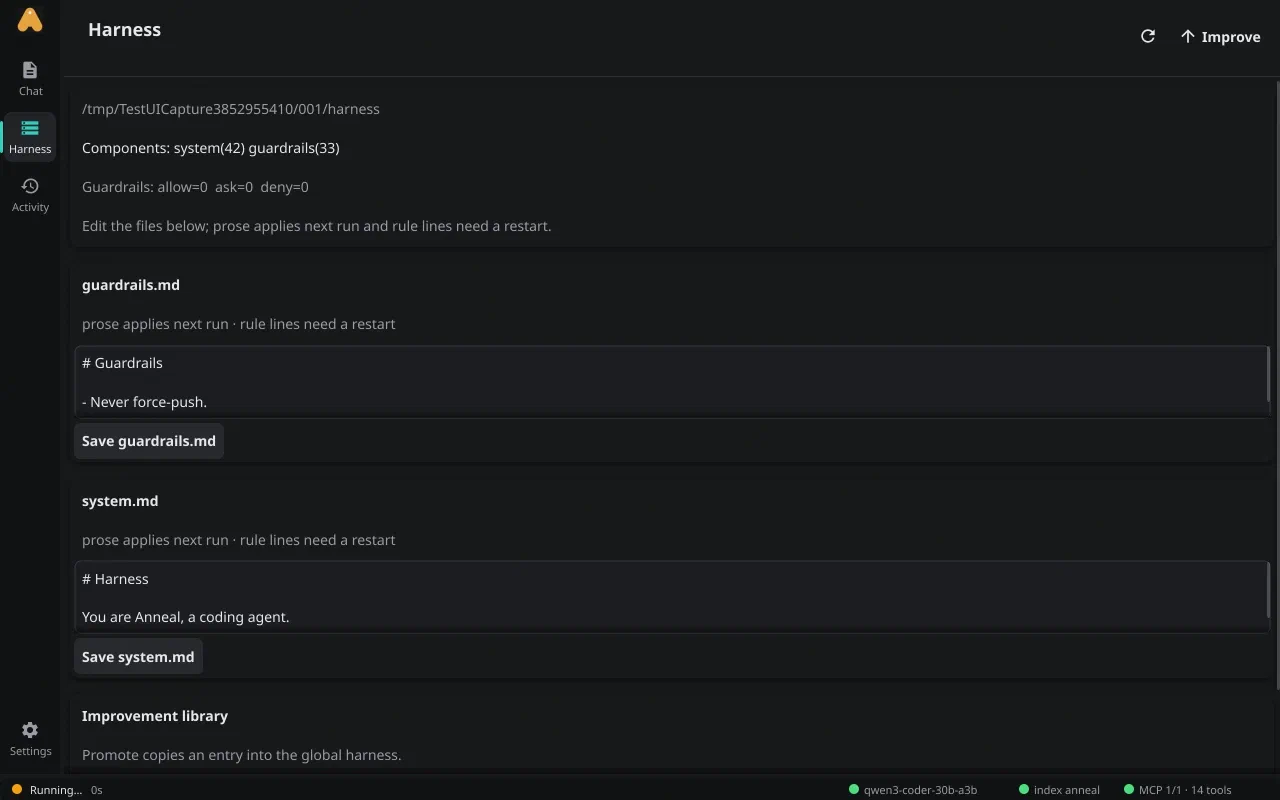
The Harness view is a fynerisor pane: the system prompt, guardrails and improvement library are editable in place.
A turn has a shape.
An active-time budget warns at 80% and, at 100%, writes a hand-off summary and stops. Continue with one key. Context is compacted at 82% of the window, and the context meter in the inspector tells you where you are.
- Tasks with a staleness warning when the plan and the actual work drift apart.
- Subagents: explore, plan and general-purpose, each with its own context.
- MCP over stdio or HTTP, with optional gortex code intelligence.
anneal
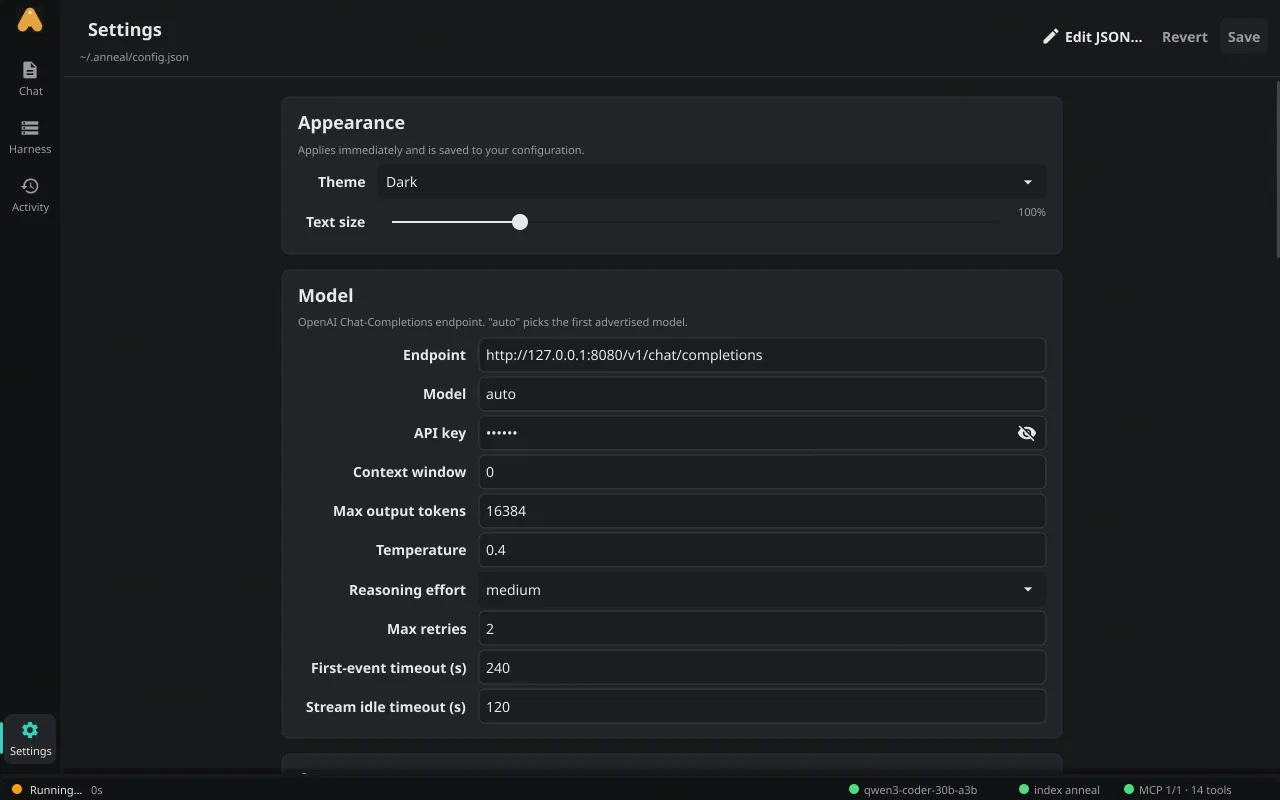
Settings is a form over config.json with live changes — and an Edit JSON escape hatch.
Learn
The project remembers.
Project memory and user memory are bounded files with a duplicate guard and
an injection scan. Skills are SKILL.md files the agent can
write, review and reuse. Neither is a hidden vector store: they are files
you can read, diff and delete.
- Sessions are JSONL under
~/.anneal/sessions, replayable and resumable per project. - Recall is
session_search, a cross-session search over a tie index. - Review runs in the background while idle, mining finished sessions for lessons.
 the loop in practice
a session ends, the reviewer runs
REVIEW       saved 3 lessons · 1 skill
MEMORY-ADD   target: user
IMPROVE      run 20261030-101500
skills  probed: 2 steps → adopted
prompt  skipped: no measurable gain
decision: evidence-backed, awaiting promote
Improve
The improvement stack is the part that makes anneal different. It is not a prompt that says “improve yourself”. It is a loop with a budget, a probe and a gate.
The Activity view is the receipt.
Every review, memory addition and improvement run is a card on the journey timeline. You can see which candidate was adopted, which was skipped, what the probe cost, and why. k-step recursion is visible, not implied.
- An improvement library keeps successors and their evidence.
- Ctrl+I starts an improvement run; idle time starts one automatically.
- Promote is the only path from an overlay to the harness you actually run.
anneal
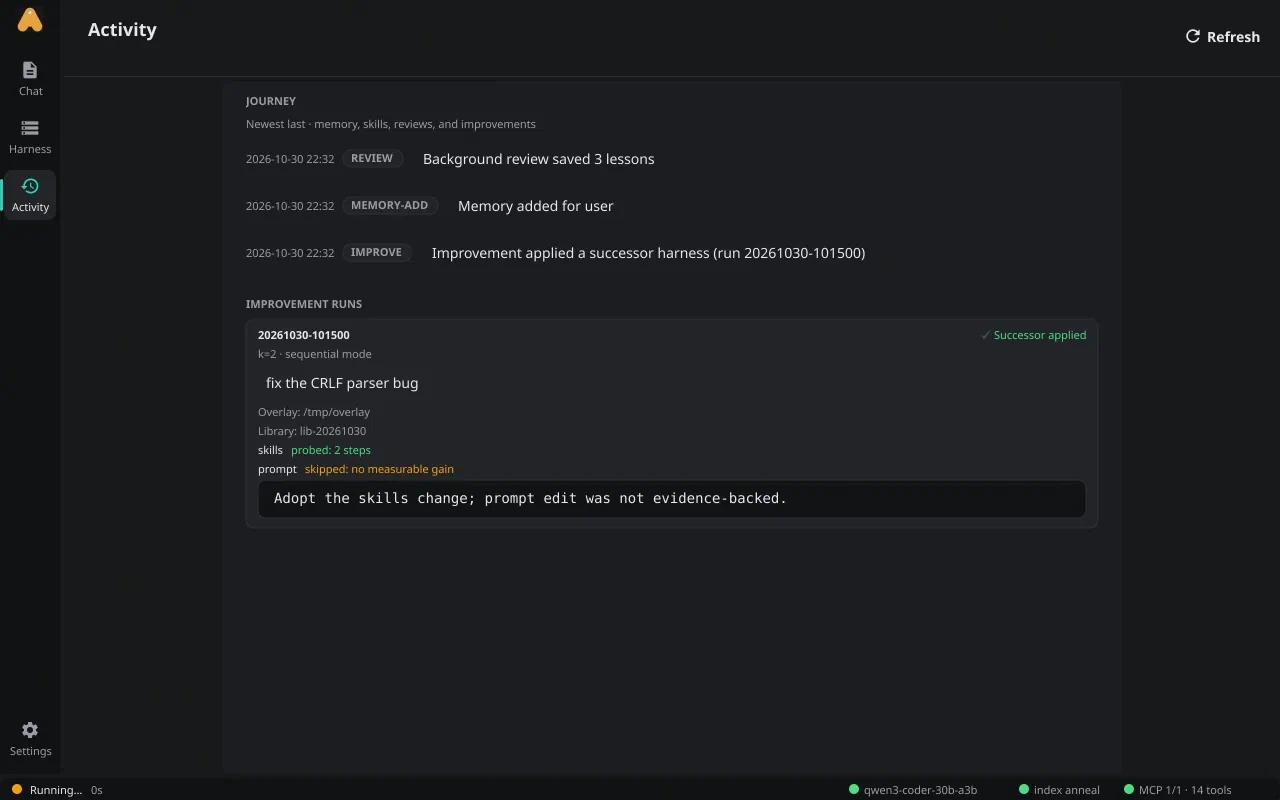
The Activity view: a journey of reviews and improvement runs, with the adopted and skipped candidates shown.
Run anywhere
| Surface | What it is |
|---|---|
anneal | The Fyne desktop app. Linux is the supported GUI target. |
anneal-headless | The same core without GUI libraries: -p, -i, -json, -yolo. |
anneald | A CGO-free backend with a versioned WebSocket protocol, containers and idle shutdown. |
$ anneal-headless -p "Fix the parser test in core/textutil" -json
$ anneald -work ~/src -listen :7777
One instance per project. The desktop app can embed the core or attach to a
remote anneald with -server; sessions, memory and the tie index stay per
project. The Docker image is the backend, not a desktop in a box.
Local models, your choice
The default model is a local Strata server at 127.0.0.1:8081, with sample
models like qwen3-coder-30b-a3b at a 262k context. Any OpenAI-compatible
chat-completions endpoint works. There is no anneal account and no model proxy:
the agent talks to the endpoint you configure.
Scriptable
The Harness view is a Risor script hosted by fynerisor, sharing the host theme.
The agent also has a sandboxed Risor script tool: confined filesystem, no exec,
no network. If you want a pane, a rule or a report, you can write it without
rebuilding anneal.
Status
Warning
anneal is young: milestones M0–M16 are complete, the version is dev, and
there are no tagged releases yet. Install it from source with make install,
or build the container with make docker. The wire protocol is versioned
separately as v1. Expect the harness format to keep moving.
The manual’s performance note includes the per-run tracing and the opencode comparison harness, so you can reproduce the numbers rather than take them on faith.